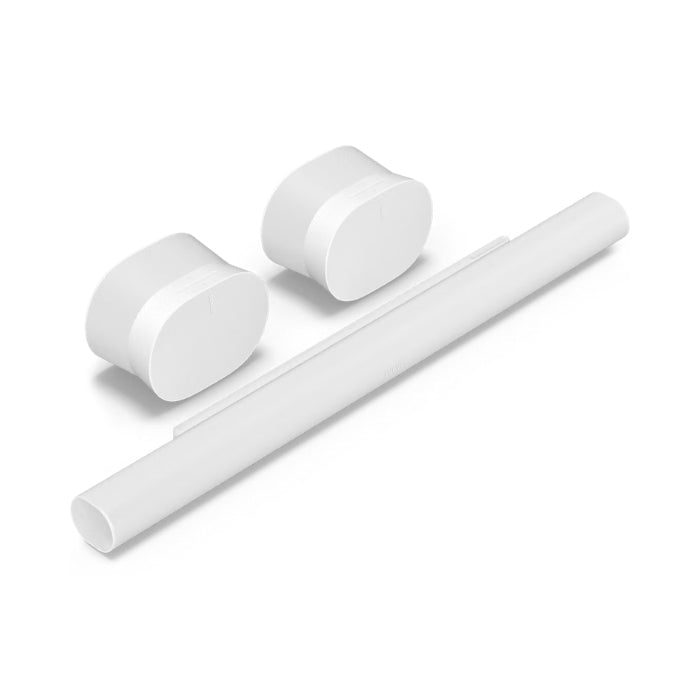
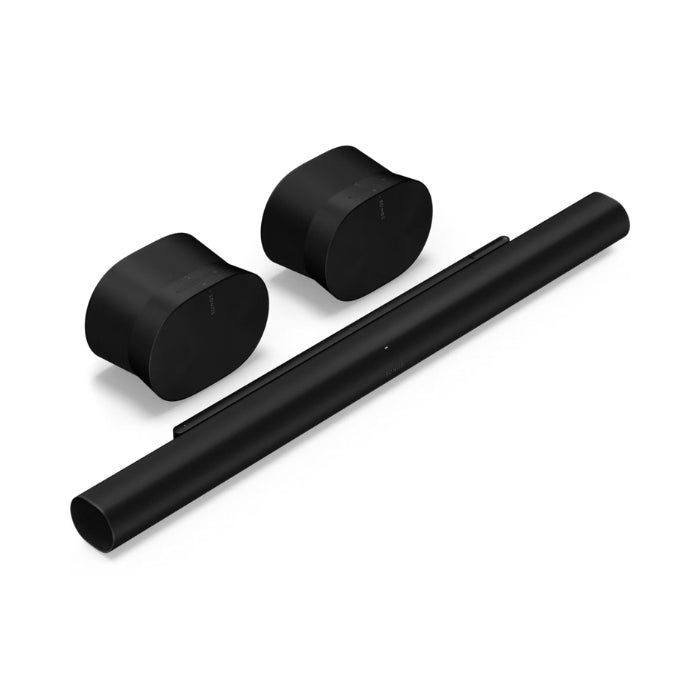
Specifications
Arc Ultra
Sound architecture
-
Drivers:
-
7 silk-dome tweeters (directed to side and top space via custom waveguides)
-
6 midrange woofers (optimized for clear mid-range frequencies and dialogue)
-
1 Sound Motion™ woofer (dual-cone force-cancellation design for deep bass without vibration)
-
Channels: 9.1.4 Dolby Atmos
-
Amplifiers: 15 Class D digital amplifiers (one for each driver, plus an additional one for the Sound Motion™ woofer)
-
Dolby Atmos: Yes, immersive three-dimensional surround experience
-
SoundMotion™: Technology for more powerful bass output in a slimmer housing
Functionalities
-
Trueplay™: Automatic room EQ (iOS and Android)
-
Speech Enhancement: AI-based dialogue isolation, with 4 adjustable levels
-
Night Sound: Reduces loud sound effects for later viewing
-
Touch control: Play/pause, next/previous, volume control, microphone-static, group/un-group
-
Voice assistants: Sonos Voice Control, Amazon Alexa, Google Assistant (region sensitive)
-
Multiroom: You can connect extra Sonos devices via the Sonos appspeakers
-
Apple AirPlay 2: Supported
-
HDMI eARC: 1 port (cable included)
-
Optical audio: Not directly; if your TV has optical only, use an HDMI-ARC to optical adapter (sold separately)
Network and wireless connection
-
WiFi: 802.11a/b/g/n/ac/ax (2.4 GHz and 5 GHz)
-
Ethernet: 1 × 10/100/1000 Mbps port
-
Bluetooth: Only for setup (BLE)
-
AirPlay2: Yes
Physical Characteristics
-
Dimensions (W×H×D): 1178 × 75 × 110.6 mm
-
Weight: 5.9kg
-
Colors: Black (matte finish), White (matte finish)
-
Assembly: M5 × 0.8 mm thread, length 6.5 mm (for wall bracket)
-
Power cable: 2 m, integrated
-
HDMI cable: 1.5 m included
-
Operating temperature: 0 °C – 40 °C
-
Storage temperature: −20 °C – 70 °C
Inputs/outputs
-
1 × HDMI eARC/ARC (including HDMI cable)
-
1 × Ethernet 10/100/1000 Mbps
-
No optical or analog line-in
-
Bluetooth LE (for initial setup, audio-disabled once surrounds are present)
Contents of the box
Sonos Era 300
Sound architecture
-
Drivers:
-
Amplifiers: 6 Class D digital amplifiers (one per driver)
-
Dolby Atmos Music: Supported for spatial audiodisplay
-
Stereo pairs: Yes, combine two Era 300 units for wide, detailed stereo
-
Surround mode: Can act as rear channels when paired with Arc Ultra or other Sonossoundbar
Functionalities
-
Trueplay™: Room calibration via microphone array (iOS or Android)
-
Adjustable EQ: Adjust bass, treble and loudness in the Sonos app
-
Voice Assistants:
-
Sonos Voice Control
-
Amazon Alexa (when microphone switch enabled)
-
Google Assistant (not available as standard, depending on region)
-
Microphone array: Far-field microphones for voice control and Trueplay calibration; can be switched off via physical mic switch on the back
-
Touch control: Capacitive buttons on top for play/pause, full up/full down, next/previous track, group settings
-
Bluetooth 5.0: For audio-streaming from phone/tablet (SBC and AAC supported); Bluetooth stops as soon as you put on your surround set
-
Apple AirPlay 2: Supported
-
WiFi: 802.11a/b/g/n/ac/ax (2.4 GHz and 5 GHz)
-
USB-C line-in: Via optional Line-In Adapter (sold separately)
-
LED indications:
Physical Characteristics
-
Dimensions (W×H×D): 260 × 185 × 160 mm
-
Weight: 4.47 kg
-
Colors: Black (matte finish), White (matte finish)
-
Housing: Placed horizontally; optional wall mounting possible via Sonos Era 300 Wall Mount
-
Operating temperature: 0 °C – 40 °C
-
Storage temperature: −20 °C – 70 °C
Inputs/outputs
-
1 × USB-C (line-in via adapter only)
-
No built-in Ethernet port (Wi-Fi only)
-
Bluetooth 5.0 (audio and initial pairing)
Contents of the box
-
Era 300 smart speaker (× 2)
-
Power cables (2m, × 2)
-
Quick start guide (× 2)
-
Warranty/legal documentation (× 2)
-
Physical mic switch integrated on each speaker
Requirements
-
Sonos app: Requires Sonos S2 app (iOS or Android) for setup, Trueplay™ calibration, and EQ adjustments
-
Internet connection: Wi-Fi (2.4 GHz or 5 GHz) for streaming, updates and voice control
-
Line-In Adapter: For USB-C line-in use (sold separately; supports 3.5mm to USB-C)
Application in your Home Cinema
-
Installation
-
Place Arc Ultra centrally under your TV or mount it on the wall with an official Sonos bracket.
-
Position the two Era 300-speakers left and right behind your listening position as rear channels.
-
Connect Arc Ultra to your TV's HDMI eARC port.
-
Open the Sonos app, add Arc Ultra and follow the instructions Era 300s can be linked as surroundspeakers.
-
Trueplay™ calibration
-
Voice control configuration
-
In the Sonos app, enable Sonos Voice Control or Amazon Alexa.
-
Make sure the mic switch is on each Era 300 in the “on” position represents voice commands; If you need privacy, you can disable this.
-
Multiroom expansion
-
Add additional Sonosspeakers (e.g. Sonos One or Roam 2) in other rooms via the Sonos app to sync music or play it separately.
-
The Era 300s can act as a stereo pair in other rooms for high-quality sound if desired audioexperience.
-
Operation
-
Sonos app: Full control over playlists, streaming services (Spotify, Apple Music, Amazon Music, Sonos Radio) and sound effects (EQ settings, Night Sound).
-
TV remote control: Via HDMI eARC you can control the volume of Arc Ultra with your existing TV remote control.
-
Touch control: Touch buttons on Arc Ultra and Era 300 for direct, easy operation.
-
Customizable sound experience
-
Use the EQ slider in the app to adjust bass, mid and high exactly to your preference.
-
Activate Speech Enhancement on Arc Ultra to emphasize dialogue, ideal for scenes with a lot of ambient noise.
-
Switch Night Sound to reduce harsh low-frequency effects during late-night broadcasts.
With this Premium Surround set with Arc Ultra + 2× Era 300 you have a leading home cinemaexperience, in which both film and music fans can immerse themselves in rich, three-dimensional audio: deep, controlled bass, crystal clear dialogue and an impressive spatial representation. The sleek, matte black designs fit seamlessly into any interior, while the Sonos app and voice controls ensure effortless control and full integration into your multi-room ecosystem.