
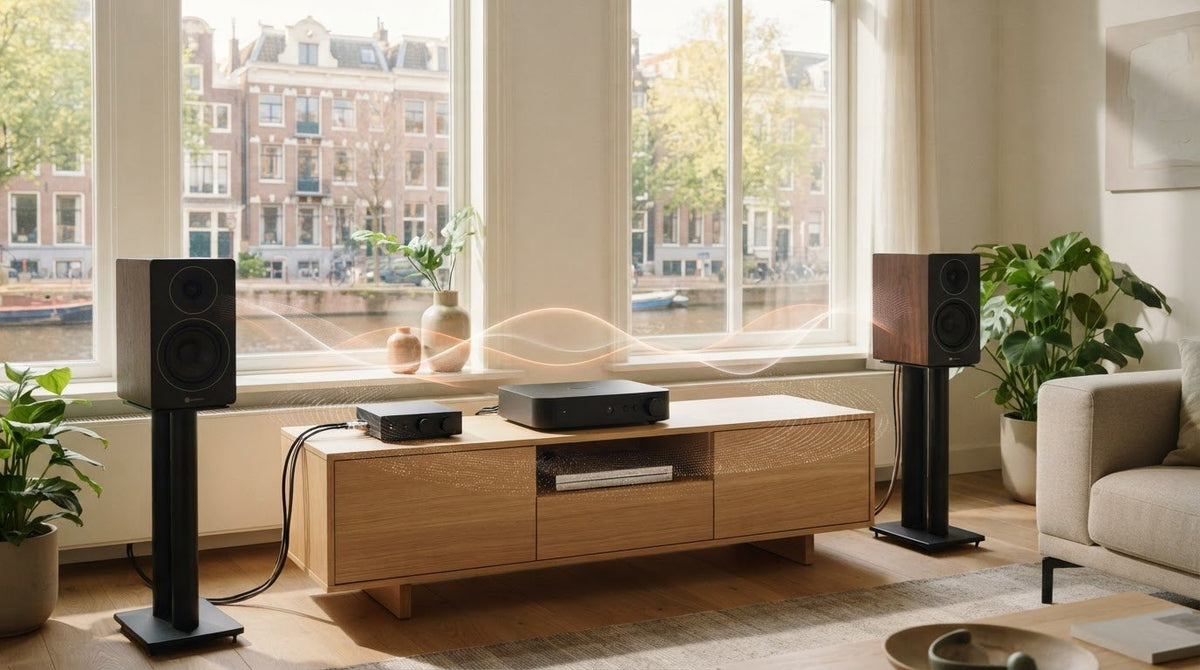
Hi-res audio is digital music with generally higher sound quality than CD-audio, often lossless and uncompressed. The files usually have a bit depth of 24 bit and a sample rate of 48 kHz or higher, compared to 16 bit and 44.1 kHz with CD-audio. A Sonos Port alternative to stream hi-res audio must match your music source, amplifier and speakers.
A higher file quality does not in itself make a better listening experience. The entire chain counts: from the stream and network connection to the conversion of the digital signal and the speakers that reproduce it. It also makes a difference whether you listen in one room or want to transmit music through multiple rooms.
Discover what hi-res audio means and what you should pay attention to in a streamer as an alternative to the Sonos Port. You can read what equipment and connections are needed, how multi-room integration works and why Bluetooth is not always suitable for lossless music. This way you gain insight into the possibilities and you can determine which setup suits your listening room and wishes.
Key points
- Discover what bit depth and dynamic range mean for the nuances in your music.
- Identify what equipment and connections are needed for a complete listening chain.
- Learn what you need to pay attention to to make music coherent in multiple rooms streaming.
- Understand what sample rate means and how it relates to the limits of human hearing.
- Compare the features of streamers and determine which setup suits your speakers and listening needs.
Bit depth and dynamic range
Hi-res audio usually uses a bit depth of 24 bits; standard cd-audio uses 16 bit. Bit depth describes how many digital values are available to record the noise level per measurement moment. More values provide room to more accurately represent small differences between soft and loud passages. This can be especially audible in music with subtle details, such as a quiet piano passage next to a powerful orchestral sound.
Dynamic range is the difference between the softest and loudest sounds that a recording can reproduce. The bit depth partly determines how much space there is to capture such levels, but does not in itself tell how good a recording sounds. For example, a 24-bit recording can contain a lot of detail, while a loudly mastered track still has little contrast between quiet and powerful passages.
A higher number does not automatically mean a better listening experience. The recording, the playback chain and the volume all play a role. If a streaming service offers a 24-bit file, the streamer must process that format and the rest of the chain must pass the signal appropriately. speakers also influence what you hear: a recording with soft details requires a setup that clearly displays those nuances.
The WiiM Pro Plus, Bluesound Node and Eversolo DMP-A6 can be compared with the Sonos Port for support for your music sources, connections, operation and integration into your existing system. Also check whether the desired player provides the bit depth of your files and whether your amplifier or DAC can process it. The best choice depends on how you listen, not just on the maximum file size.
What do good alternatives to the Sonos Port cost in the Netherlands? That depends on the functions, connections and the role of the streamer in your system. Therefore, not only compare the purchase price, but also whether your existing amplifier and DAC remain usable. This way you assess the total investment in the right context.
Bluetooth is a point of attention for lossless music. Most Bluetoothspeakers and earbuds do not support lossless audio. A wireless connection is convenient, but does not automatically mean that the entire file will arrive at your speakers without loss of quality. Check how the signal is processed in each part of your system.
Use this quick check when choosing a Sonos Port alternative:
- See if the streamer supports the bit depth of your favorite files.
- Check which connection your amplifier or DAC requires.
- Compare the streamer capabilities with your desired controls and listening setup.
- Listen to the same recording at a familiar volume and pay attention to soft details.
This is how you judge 24-bit audio not as a single number, but as part of the entire listening chain. The final playback depends on the recording, the connection and the equipment that converts the signal into music.
Equipment and connections required
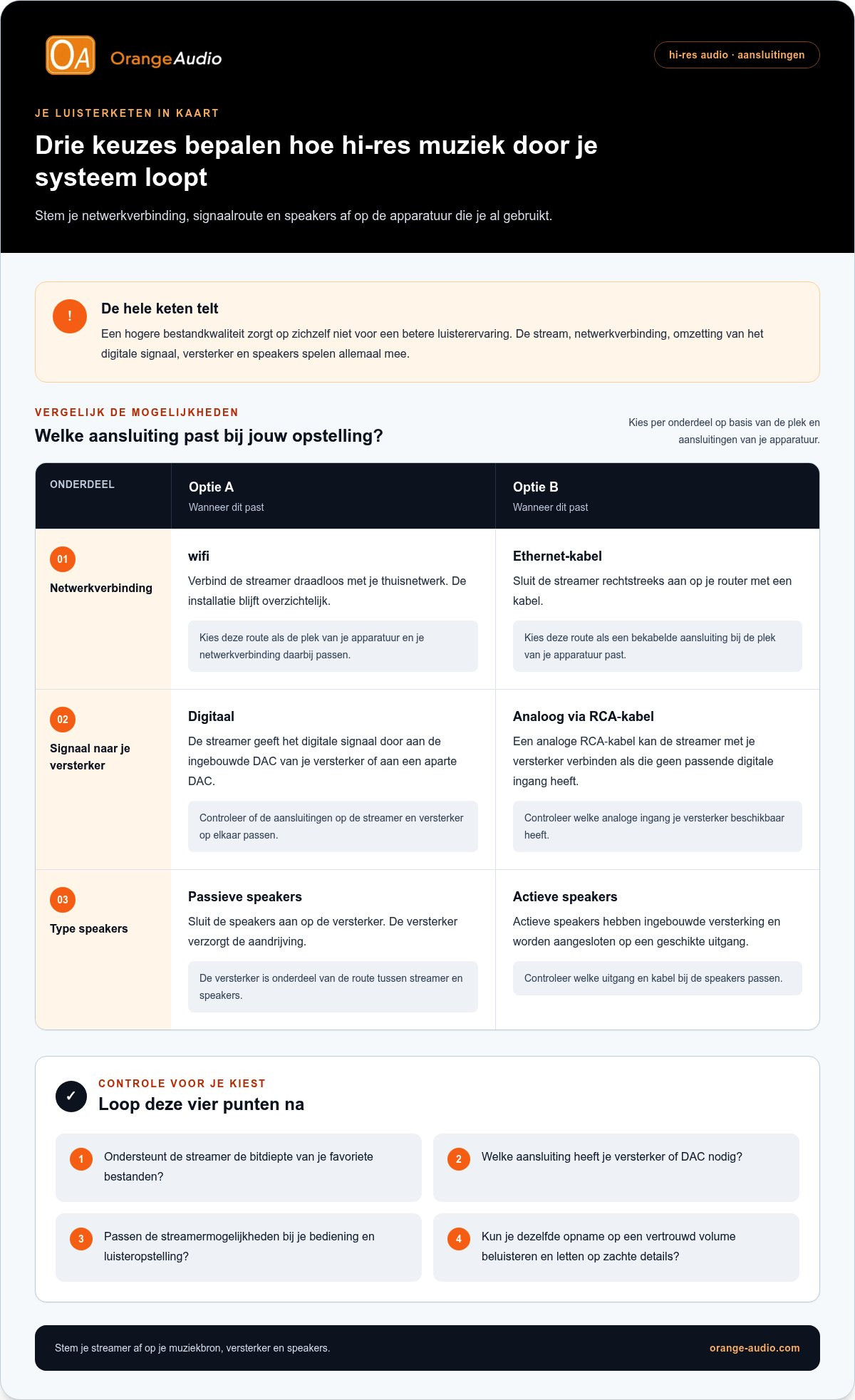
A hi-fi setup combines a streamer, network connection, amplification and speakers. The right connection depends on the equipment you already use.
Network streamer required
A network streamer retrieves digital music via your home network and forwards it to your audio system. It forms the link between streaming services and an amplifier or active speakers. First check which inputs and digital connections your equipment has. This way you avoid choosing a streamer that does not connect well with the rest of your listening chain.
With a separate amplifier, the streamer can pass the digital signal to a built-in DAC or a separate DAC. That converts digital audio data into an analog signal. If your amplifier does not have a suitable digital input, an analog RCA cable can make the connection. The correct route depends on the connections on both devices.
Supported streaming services and connections
Spotify Connect, Tidal Connect, Qobuz and AirPlay 2 are ways to send music to a compatible device. Support varies by model: choose a network streamer whose product specifications explicitly list the services you use. One model does not automatically support all four.
You usually connect the streamer to the home network via WiFi or an Ethernet cable. WiFi keeps the installation clear; You can connect the streamer directly to the router with a cable. Choose based on the location of your equipment and the available network connection. Both routes deliver the stream to the player, but the network environment plays a role in how smooth playback is.
Next, map the entire signal route. A practical sequence is:
- Open the streaming service on your phone or tablet and choose the network streamer as the playback device.
- Connect the streamer to the input of your amplifier, digitally or via an analog RCA cable.
- Connect passive speakers to the amplifier, or connect active speakers to the appropriate output.
- Start a song and check whether the amplifier uses the correct input.
With passive speakers the amplifier provides the drive; active speakers have built-in amplification. That difference determines which cables you need and what the streamer connects to. A separate DAC can be part of the chain, but is not always necessary: some amplifiers process the digital signal themselves.
Also check the controls. Spotify Connect and Tidal Connect send music from their own apps to a suitable device. AirPlay 2 can transmit music from compatible Apple devices. Qobuz only works via a playback route that the service supports. So tune the streamer to your favorite app, amplifier and desired connection before putting together the complete setup.
Integration into multi-roomaudiosetups
With a multi-room setup, you can play music in different rooms simultaneously or independently of each other. For a smooth installation, the streamer, controls and speakers must support the same playback path.
Which Sonos Port alternatives work with existing Sonosspeakers and multiroom? A third-party streamer will not automatically join the Sonos app or existing Sonos groups. If you want to use that source in the Sonos system, connect it to a Sonos component via a suitable audioinput to a Sonos component.
First distinguish between a shared network and a shared playback system. Devices can be on the same Wi-Fi network, but still use different apps and group controls. A WiiM streamer and Sonos-speakers therefore do not automatically form one operable group. Check which devices support the desired multi-room function.
In a mixed setup, the connection determines how the music is passed on. You can connect the analog output of an external streamer to a suitable analog input on a Sonos component. If the component supports this feature, you can use that input in the Sonos app as a source. The streamer and Sonos remain separate devices, even if the same music reaches multiple rooms.
Do you want sound synchronized throughout the house? Then choose one ecosystem for the spaces that have to play together. With a Sonos source and Sonos-speakers you can manage the group via Sonos; With another multi-room platform you use the corresponding controls. A separate streamer does not automatically offer the same group control as a streamer that belongs to your existing system.
Hi-res audio requires additional control. Audio quality may change when a signal is converted between platforms or connections. Therefore, follow the complete route: streaming service, streamer, possible analogue input, Sonos component and speaker. Wireless transfer to another room may work differently than playback via the direct output of the streamer. The actual support depends on the devices and their settings.
Before you choose an alternative, map out these points:
- Note which Sonosspeakers en components are already in your home.
- See whether a Sonos component has a suitable audioinput.
- Check whether you want to control the music in the Sonos app or another app.
- Determine whether all rooms should play together or separately.
- Test the desired source and controls before expanding the installation.
This way you can see whether you are mainly looking for a streamer for an existing hi-fi setup, or a solution that works with your Sonos multi-room. That choice determines which connections are needed and whether you keep the existing room controls.
A hi-fi setup consists of speakers, an amplifier and other physical audio components. Visualize those parts separately before adding a streamer. This way you can see which devices play the music and which provide the source. Also note which existing components are already part of the listening route. This helps not to confuse a streamer with a complete multi-room solution: the physical chain and the operation via an app are different parts of the installation.
Compare where the streamer connects and which part brings the music to the speakers . Keep an eye on the existing connections and the desired group operation together. This way you can better assess whether an addition suits your hi-fi setup and the way you want to operate the rooms.
Sample rate and frequency response
Sample rate describes how often a digital recording measures the sound. Hi-Res audio files usually have a sample rate of 48 kHz or higher; cd-audio uses 44.1 kHz. That difference says something about the digital capture, but not in itself about what your ears perceive in your system.
The Sonos Port can be part of a digital listening chain, but high-resolution playback depends on the streaming service, the source file and the signal route. Assess which formats the entire setup supports and how it plays the file. A higher sampling rate on paper does not prove that each component transmits the signal unchanged.
With digital audio a sound signal is recorded in separate measuring moments. A higher sampling rate means more measurements per second and can be important for the frequencies that are digitally recorded. The conversion to sound also depends on the DAC, amplifier and speakers in your system.
Frequency response indicates which tones a device can reproduce. The human ear can generally hear frequencies from 20 Hz to 20 kHz. A recording with higher frequency content does not automatically mean that you consciously hear that content. The room, the speakers and your own hearing together influence what you experience while listening.
Use this data to practically assess specifications. Suppose a service offers a file at 48 kHz. Check that the streamer accepts this format and that the following devices in the route process the signal appropriately. Also look at the playback app settings. A conversion or restriction further down the chain may determine what ultimately reaches your speakers .
When comparing devices, look for more than the highest supported sample rate. The connections determine how the streamer communicates with your amplifier. The DAC converts the digital data into an analog signal, after which the amplifier drives the speakers . Each link therefore has a function; the limitations of an item can limit playback.
A useful check for your setup:
- View the sample rate of your favorite music files.
- Compare that with the formats that the streamer supports.
- Check how the streamer is connected to the DAC or amplifier.
- Listen to familiar music and pay attention to clarity, tonal balance and detail.
This way you avoid being alone is based on a technical value. Use sample rate and frequency response as tools, in addition to your equipment's compatibility and your own listening experience.
Which alternatives to the Sonos Port can stream hi-res audio ?
An alternative to the Sonos Port is a network streamer that sends music to your existing amplifier or active speakers . If you are looking for a Sonos Port alternative to stream hi-res audio , don't just compare the name or maximum file support. Connections, operation and cooperation with your other equipment also determine whether the player suits your setup.
WiiM Pro Plus, Bluesound Node and Eversolo DMP-A6 are models to look at next to the Sonos Port. Which one suits you best depends on your services, equipment and desired operation. Compare the current specifications for hi-res files per version and check whether they suit your amplifier or DAC.
Start with your existing installation. Make a note of the amplifier's connections and see if you can use a digital input, analog input, or both. A streamer can be connected digitally to an DAC or amplifier that processes the signal. An analog output is suitable when the streamer itself takes care of the conversion. This way you can tune the streamer to the equipment you already have.
Then see which streaming services you use every day. Spotify Connect, Tidal Connect, Qobuz and AirPlay 2 offer different ways to play music. Check support by model and version, not just by brand name. This way you know whether you can stream from your favorite app and whether the controls suit your habits.
The role of the Sonos Port in the home also makes a difference. If it mainly sends music to existing Sonos-speakers , pay attention to how an external streamer works with the Sonos system. A device from another brand does not automatically take over the Sonos group control. If you mainly stream to a separate amplifier, the audiooutputs and compatibility more demanding.
Use this comparison to make a targeted choice:
- WiiM Pro Plus: compare the connections, services and settings with your current amplifier.
- Bluesound Node: investigate whether the controls and network functions suit your listening setup.
- Eversolo DMP-A6: assess whether the functions and connectivity options suit your use.
- Sonos Port: weigh its role in your existing Sonos groups against your wishes for hi-res streaming.
Check the same points for each model: supported file formats, desired streaming services, connection to your amplifier and possible integration with multi-room. A high maximum specification offers little benefit if another part in the chain cannot process it. Therefore, compare the entire signal route, from music service to speakers. This is how you determine which Sonos Port alternative for hi-res audio streaming suits your listening needs.
Do you want to expand your setup with music in multiple rooms? Then view the options for multiroom audio and compare them with the controls you are currently using. This way you choose a streamer based on your daily listening experience, not just on the name or one technical value.
OrangeAudio: Bookshelf Speakers
OrangeAudio helps you put together a suitable listening setup with Bookshelf Speakers. If you choose a streamer for hi-res audio, also look at the speakers and amplification that display the signal. The combination determines how music sounds in your room.
Bookshelf Speakers suits a compact listening position; Floor standing Speakers offer a different arrangement. If you want fewer separate devices, check out Active speakers. There are also built-in speakers for an integrated installation. Compare the possibilities with your space, existing equipment and way of listening.
Discover the Bookshelf Speakers and determine which direction suits your streamer and amplifier. Visit orange-audio.com or contact OrangeAudio to discuss your options.
Give your listening setup a suitable next step
An alternative to the Sonos Port that allows you to stream hi-res audio is only really a fit if it also fits your space and speakers. Don't just think about the streamer. Decide how you want to listen and what role your speakers play. A compact setup may call for Bookshelf Speakers; For a different layout, Floor Standing Speakers can fit. Active speakers offer yet another way to build your system.
OrangeAudio offers these speaker options so you can tailor your choice to your listening position and equipment. This way you take a conscious next step, whether you want to supplement an existing setup or are considering a new system. See which options suit your needs and discuss how the parts can work together.
Discuss your audiosetup with OrangeAudio and discover which direction suits your way of listening. With a clear choice you can continue to build a system that you will return to with pleasure.
Frequently asked questions about hi-res audio
Where can I get access to lossless audio?
You can listen to lossless audio via a streaming service that offers this quality, or with your own music files in a lossless format. Check in the service settings which sound quality is active; an account can default to a lower quality. On the road, a lower setting may be more practical when using mobile data. At home, you can compare the same track with a lossless version and hear how your system plays it.
What do I need to listen to lossless audio?
You need a lossless music source and equipment that can play the file without unwanted conversion. Consider a network player, amplifier or active speakers and a suitable connection between them. Also check your headphones or speakers: Bluetooth may limit transmission. Play a lossless track via a wired connection and then listen to the same track wirelessly. This way you can hear which route suits your listening usage.
What should you pay attention to when making DAC, connections and operating an alternative to the Sonos Port?
First check whether the DAC in the streamer or amplifier processes the desired digital signal. Then choose a connection that fits both devices, for example a digital connection to an amplifier with a digital input, or an analogue connection to a line input. Also decide how you want to control music: via the streaming service app, your own player app or a multi-room app. With Sonos, what is particularly important is how the new source connects to existing Sonos components.